Servers in stock
 Checking availability...
50% off 1st month on Instant Servers - code 50OFF +1-646-490-9655
Build your server
Teradek CUBE • Streaming configuration tutorial

Teradek CUBE Streaming Configuration Tutorial

Follow this step-by-step guide to configure your Teradek CUBE hardware encoder for live video streaming with your Server Room RTMP server. Get your stream live in minutes.

4-step guide RTMP streaming Hardware encoder

Step-by-step guide

Follow each step carefully to configure your Teradek CUBE for live video streaming with your Server Room RTMP server credentials.

1

Access the CUBE web interface

In TeraCentral, click Configure to open the CUBE's web UI. Log in with the default credentials (user: admin, password: admin). Navigate to Video-Setup → Stream Settings.
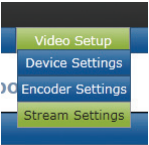
Teradek CUBE - TeraCentral, Video-Setup, Stream Settings Expand
2

Configure RTMP streaming

Click the Type menu and select Live Internet Streaming. Set Stream Mode to RTMP. Enter your Server Room RTMP address, stream name, and your Server Room username and password for RTMP authentication.
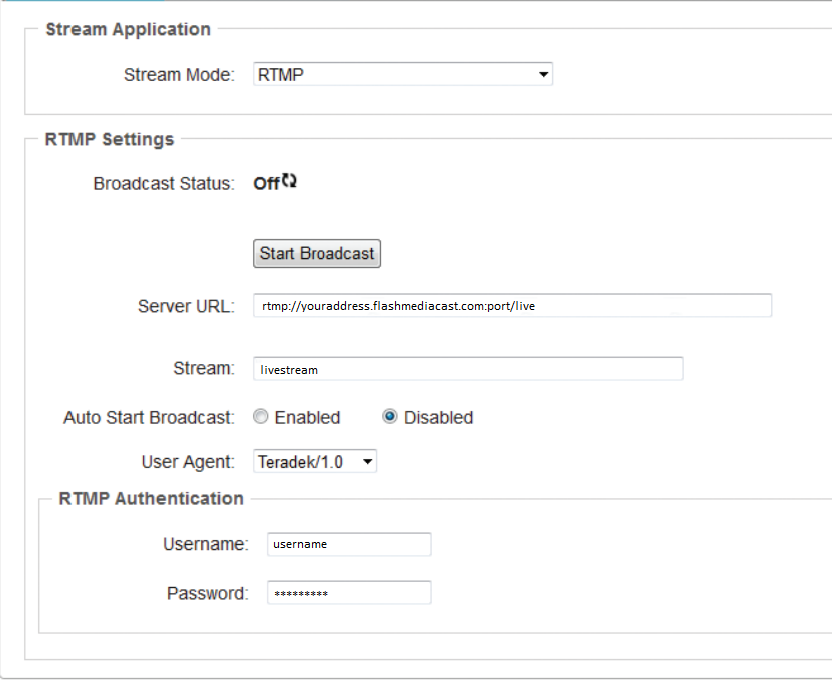
Teradek CUBE - RTMP mode, server address, stream name and credentials Expand
3

Apply the settings

Once all fields are filled in, click Apply to save your streaming configuration.

4

Start broadcasting

Click Start Broadcast to begin your live video stream to the Server Room server.

FAQ

Common questions about configuring the Teradek CUBE for live streaming with Server Room.

Where do I find my Server Room RTMP address, stream name and credentials?

Your RTMP address, stream name, username, and password are available in your Server Room account dashboard and in your Server Room setup email.

What are the default login credentials for the CUBE web UI?

The default credentials are username: admin and password: admin. Change these after first login to secure your device.

What stream mode should I select?

Select RTMP as the Stream Mode when using Server Room video streaming services.

Why does the CUBE fail to connect?

Verify your RTMP address, stream name, username, and password are entered exactly as shown in your Server Room dashboard. Make sure your Server Room video service is active and no firewall is blocking port 1935.

Ready to go live?

Our audio and video streaming services include unlimited connections, unlimited bandwidth, and 24/7 expert support to keep you on air.









