Follow this step-by-step guide to configure SamCast's Windows Media Statistics relay with your Server Room WMA streaming server. Get your statistics reporting live in minutes.
Follow each step carefully to configure the SamCast Windows Media Statistics relay with your Server Room server credentials.
Press the Statistics button in the SamCast main window. When the Statistic page opens, click the + button to add a new relay. From the list select MediaPoint Manager (Windows Media) and click OK.
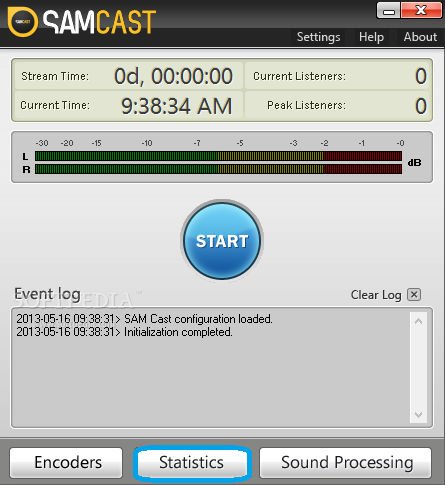 Expand
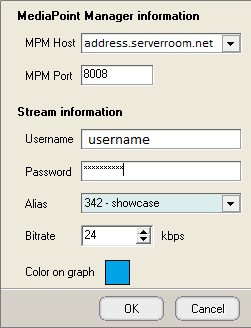
Enter your Server Room Windows Media stream address in the MPM Host field. Use your publishing point as the username and enter your password. The MPM port must remain 8008. Click OK to save.
 Expand
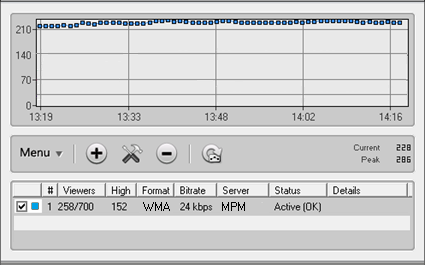
After saving, right-click on the newly created statistics relay entry and click Force Update to trigger an immediate refresh and confirm the relay is active.
 Expand
Common questions about configuring SamCast Windows Media Statistics with Server Room.










