Follow this step-by-step guide to configure xSplit Broadcaster for live video streaming with your Server Room RTMP server. Get your stream live in minutes.
Follow each step carefully to configure xSplit Broadcaster for live video streaming with your Server Room RTMP server credentials.
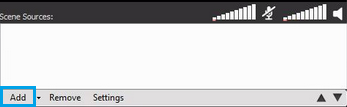
Click the Add button at the bottom of the xSplit window to add your input source. Choose your webcam, capture card, or screen capture scene from the list.
 Expand
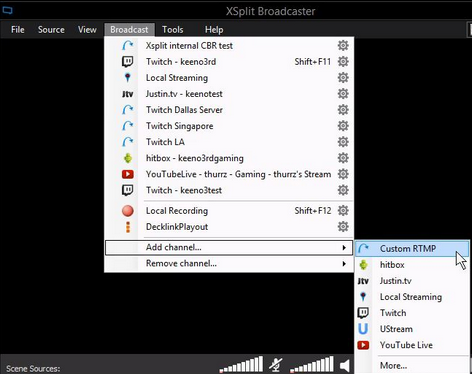
Click the Broadcast button in the main xSplit interface and go to Add channel → Custom RTMP.
 Expand
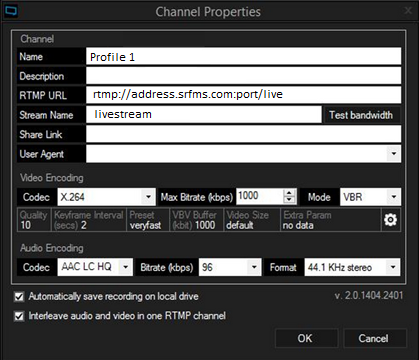
In the Custom RTMP window, fill in the following:
rtmp://address.srfms.com:port/live. Available in your Server Room welcome email or dashboard.livestream)Set your preferred audio/video bitrate and codec, then click OK. Back in the main window, click your new streaming profile to begin broadcasting.
 Expand
Common questions about configuring xSplit Broadcaster for live streaming with Server Room.










