Follow this step-by-step guide to configure VirtualDJ for live audio streaming with your Server Room SHOUTcast or Icecast server. Get your station live in minutes.
Follow each step carefully to configure VirtualDJ for live audio streaming with your Server Room server credentials.
In VirtualDJ, click Settings, select the Broadcast tab, then click Radio Server to open the server configuration page.
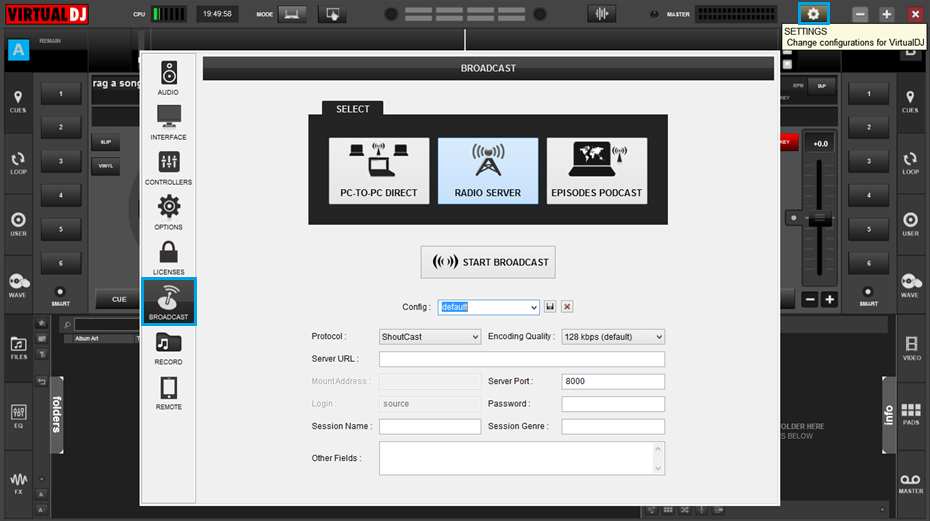 Expand
Configure the following fields:
Under station information, enter your station title in Session Name, your genre in Session Genre, and a description in Other Fields.
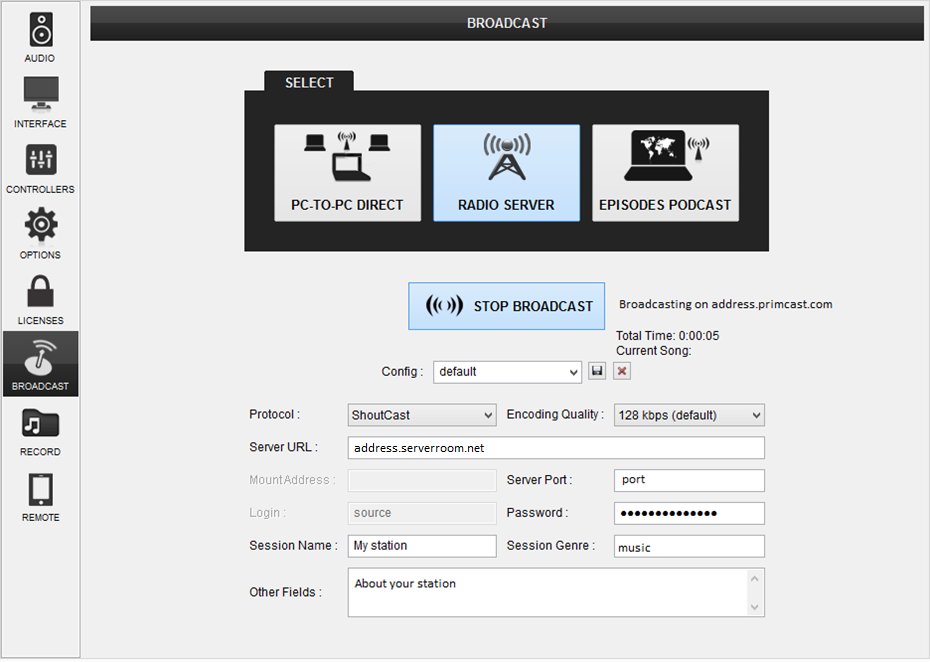 Expand
Click the Start Broadcast button to connect to your Server Room server and begin your live stream.
Common questions about configuring VirtualDJ for live streaming with Server Room.










