Follow this step-by-step guide to configure SimpleCast for live audio streaming with your Server Room WMA streaming server. Get your station live in minutes.
Follow each step carefully to configure SimpleCast for live audio streaming with your Server Room WMA server credentials.
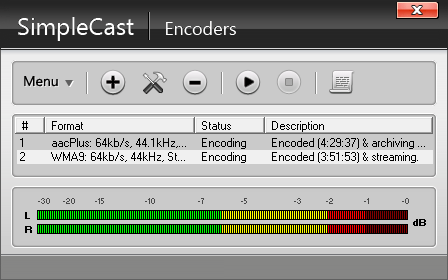
Click the Encoder button on the main SimpleCast window. The Encoders window is where you configure one or more encoders — your Server Room streaming server will broadcast this encoder's feed to your audience.
 Expand
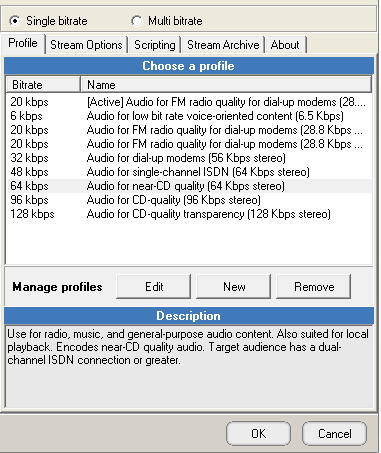
Click the + button to add a new encoder and select WMA from the list. Click OK. In the WMA encoder window, go to the Profile tab and select the streaming profile that best matches your connection speed. Under Stream options, check Auto start encoder if you want the encoder to launch automatically with SimpleCast.
 Expand
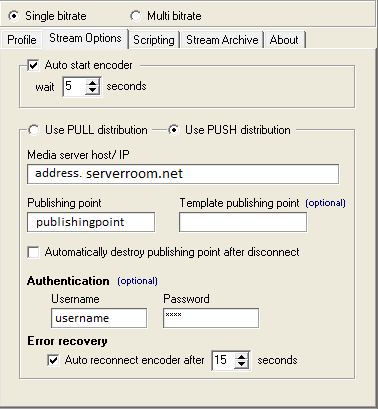
Select Use PUSH distribution. Log in to your Server Room account to retrieve your WMA streaming details, then enter:
Check Auto reconnect encoder after under Error recovery to help SimpleCast recover automatically from network errors. Click OK to close the encoder window.
 Expand
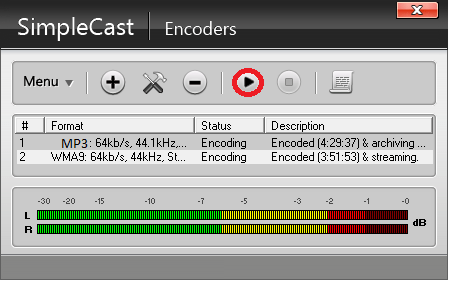
Once your encoder settings are configured, press the Play button in the Encoders tab. Your stream is now live on your Server Room server.
 Expand
Common questions about configuring SimpleCast for live streaming with Server Room.










